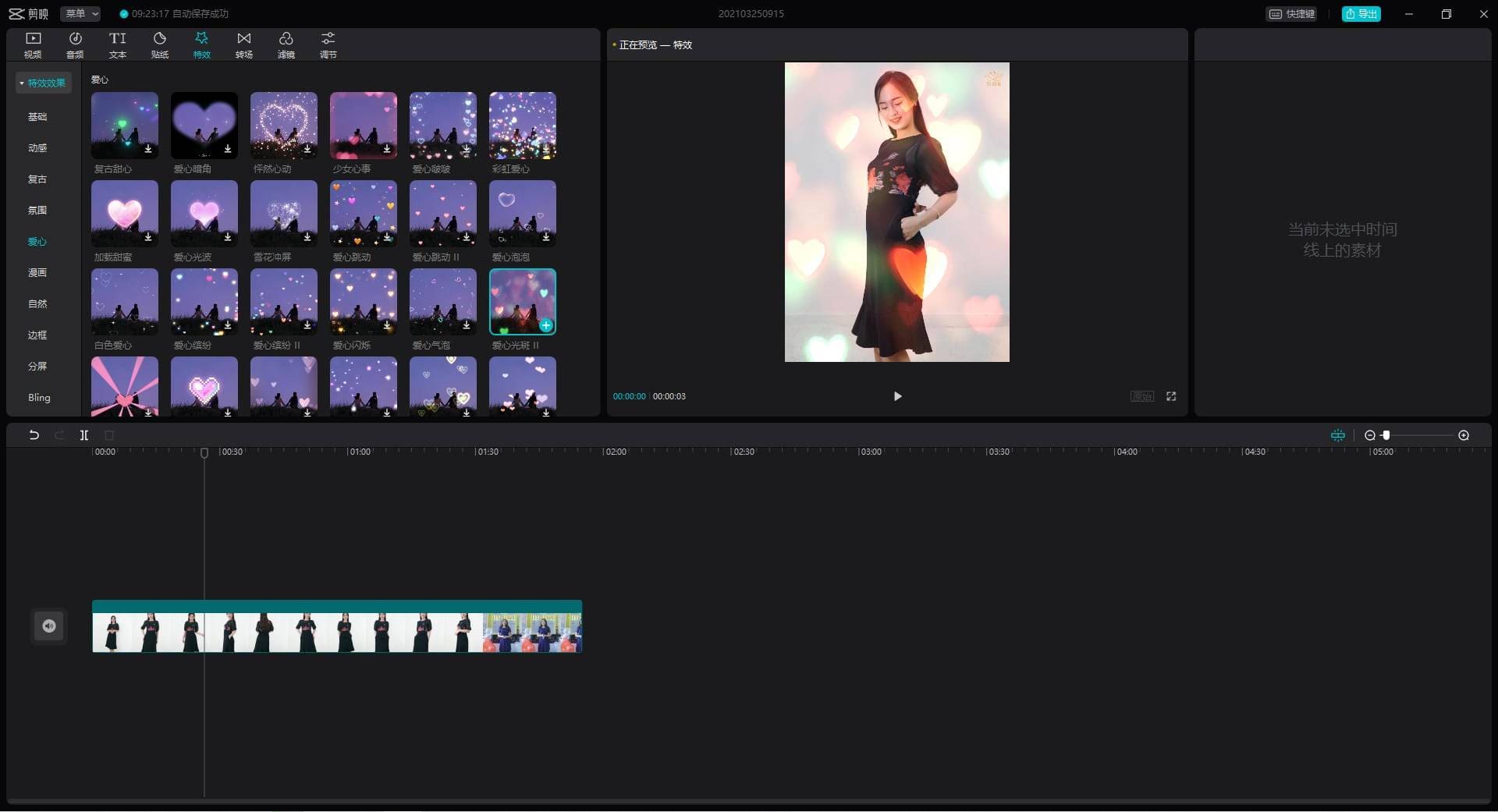
Unlock Your Inner Filmmaker: The Ultimate Beginner's Guide to CapCut
Are you ready to unleash your creativity and become a master filmmaker? Do you want to create stunning videos without needing extensive filmmaking experience? Look no further than CapCut, the revolutionary video editing app that's taking the world by storm. With its user-friendly interface, advanced features, and endless possibilities, CapCut is the perfect tool for anyone looking to unlock their inner filmmaker.
As a beginner, it can be overwhelming to navigate the world of video editing. With so many options available, it's hard to know where to start. But fear not, dear reader, for this guide is here to walk you through the basics of CapCut and show you how to harness its power to create truly exceptional videos.
What is CapCut?
CapCut is a mobile video editing app that allows users to create stunning videos with ease. Developed by ByteDance, the same company behind TikTok, CapCut has quickly become one of the most popular video editing apps on the market. With its intuitive interface and advanced features, CapCut is perfect for both beginners and seasoned filmmakers looking to take their skills to the next level.
Features of CapCut
So, what makes CapCut so special? Here are just a few of the features that set it apart from other video editing apps:
- User-friendly interface: CapCut's interface is designed to be easy to use, even for those with no prior video editing experience.
- Advanced features: From color correction to audio ducking, CapCut offers a range of advanced features that will help you take your videos to the next level.
- Endless possibilities: With CapCut, the possibilities are endless. From simple edits to complex multi-clip videos, the app offers a level of flexibility that's hard to find elsewhere.
Getting Started with CapCut
Now that you know what CapCut is and what it can do, it's time to get started. Here's a step-by-step guide to help you get up and running:
Step 1: Download and Install CapCut
To get started with CapCut, you'll need to download and install the app from the App Store or Google Play. Once you've downloaded the app, follow the on-screen instructions to install it on your device.
Step 2: Create a New Project
Once you've installed CapCut, it's time to create a new project. To do this, tap the "+" icon in the top right corner of the screen, and select "New Project". From here, you can choose from a range of templates and themes to get started.
Step 3: Import Your Media
To start editing, you'll need to import your media. To do this, tap the "Media" icon in the bottom left corner of the screen, and select the files you want to use. You can import video, audio, and photos, and even add music and effects to enhance your video.
CapCut's Advanced Features
CapCut is more than just a simple video editing app – it's a powerful tool with a range of advanced features that will help you take your videos to the next level. Here are just a few of the advanced features that CapCut offers:
Color Correction
CapCut offers a range of color correction tools that will help you enhance the look and feel of your video. From color grading to color matching, CapCut's advanced color correction tools are designed to help you achieve professional-looking results.
Audio Ducking
Audio ducking is a technique used to balance the levels of multiple audio tracks. In CapCut, audio ducking is easily accessible from the "Effects" menu. With this feature, you can automatically duck the levels of one audio track to make room for another.
Transitions and Effects
CapCut's transition and effects library is vast and varied, with everything from simple fade-ins to complex multi-clip transitions. With CapCut, you can add text overlays, transitions, and effects to enhance the look and feel of your video.
Tips and Tricks for Advanced Users
If you're an advanced user looking to take your CapCut skills to the next level, here are a few tips and tricks to help you get started:
- Use the Warp feature: The Warp feature in CapCut allows you to easily adjust the length and timing of your clips. This is perfect for creating fast-paced, action-packed videos.
- Experiment with color correction: CapCut's color correction tools are incredibly powerful, and can help you achieve professional-looking results.
- Don't be afraid to experiment: The best videos are often the ones that are taken risks and tried new things. Don't be afraid to experiment with different techniques and effects to find what works best for you.
Conclusion
CapCut is a powerful video editing app that's designed to help anyone unlock their inner filmmaker. With its user-friendly interface, advanced features, and endless possibilities, CapCut is the perfect tool for anyone looking to create stunning videos. Whether you're a beginner or an advanced user, CapCut has everything you need to create professional-looking videos that will impress your friends and family. So why wait? Download CapCut today and start creating your own masterpieces.
Frequently Asked Questions
Q: Is CapCut free to use?
A: CapCut offers a free version with limited features, as well as a premium version with additional features and capabilities.
Q: Can I export my videos in 4K?
A: Yes, CapCut allows you to export your videos in 4K resolution, making it perfect for creating stunning, high-quality videos.
Q: Is CapCut compatible with iOS and Android devices?
A: Yes, CapCut is available on both iOS and Android devices, making it accessible to a wide range of users.
Q: Can I import video from other apps?
A:
Recent Post
Unlocking The Secrets Of Menopause: Expert Insights On Navigating Life After 40 With Paolo Tantoco
Tensions Rise As Trump Officials Defend Tariffs Amid Market Volatility And Warnings For Savers And Retirees
Rosie O'Donnell Teases Trump Move, Posts Disruptive Selfie From Abroad
Wings For The Win: Capitals Edge Ducks 7-4 In Thrilling Matchup
Ducks Fall Short: Key Takeaways From Thrilling 7-4 Loss To Capitals
Article Recommendations
- Is Diddy Still Alive? The Truth About The Rumors
- Unveiling The Age Of Joaquim Valente: A Digital Trailblazer
- Lyra Crowd: Unlocking The Power Of Crowd Intelligence For Enhanced Decision-Making