Secure Your Digital Life In 3 Easy Steps: How To Enable 2FA
In today's digital age, protecting your online identity and securing your digital life has become a top priority. With the rise of cybercrime and data breaches, it's essential to take proactive measures to safeguard your personal and financial information. Two-Factor Authentication (2FA) is a widely used security feature that can significantly enhance your online security. By enabling 2FA, you can significantly reduce the risk of unauthorized access to your accounts, devices, and sensitive data.
In this article, we will guide you through the process of enabling 2FA in a simple and easy-to-follow manner. Our objective is to empower you with the knowledge and skills necessary to secure your digital life and protect your online identity.
What is 2FA and Why Do You Need It?
Two-Factor Authentication is a security process that requires a user to provide two different authentication factors to access an account or system. The first factor is usually something you know, such as a password or PIN. The second factor is something you have, such as a smartphone, smart card, or biometric authentication.
In today's digital landscape, 2FA is essential for protecting your online identity and preventing unauthorized access to your accounts and devices. A single password or PIN is no longer sufficient to secure your online presence. With the increasing number of cyber threats and data breaches, 2FA has become a vital security feature that can help you stay one step ahead of potential hackers.
Benefits of Enabling 2FA
Enabling 2FA can bring numerous benefits, including:
- Enhanced security: 2FA makes it much more difficult for hackers to gain unauthorized access to your accounts and devices.
- Reduced risk of phishing: 2FA can help prevent phishing attacks, which are a common method used by hackers to steal sensitive information.
- Improved compliance: Many organizations and institutions require 2FA for sensitive transactions and data access.
- Increased peace of mind: With 2FA, you can enjoy a higher level of security and confidence in your online activities.
Steps to Enable 2FA
Enabling 2FA is a straightforward process that can be completed in a few easy steps. Here's a step-by-step guide to help you get started:
Step 1: Choose Your 2FA Method
There are several 2FA methods available, including:
- SMS-based 2FA: This method uses a one-time password (OTP) sent via SMS to authenticate your account.
- Authenticator app 2FA: This method uses an authenticator app on your smartphone to generate a time-based OTP.
- Biometric 2FA: This method uses fingerprint or facial recognition to authenticate your account.
- Smart card 2FA: This method uses a physical smart card to generate a one-time password.
Choose the 2FA method that suits your needs and preferences.
Step 2: Set Up Your 2FA Account
Once you've chosen your 2FA method, you'll need to set up your account. This typically involves:
- Creating a new account with your 2FA provider
- Verifying your phone number or other identifying information
- Downloading and installing the authenticator app or smart card reader
- Configuring your account settings and settings up your 2FA accounts
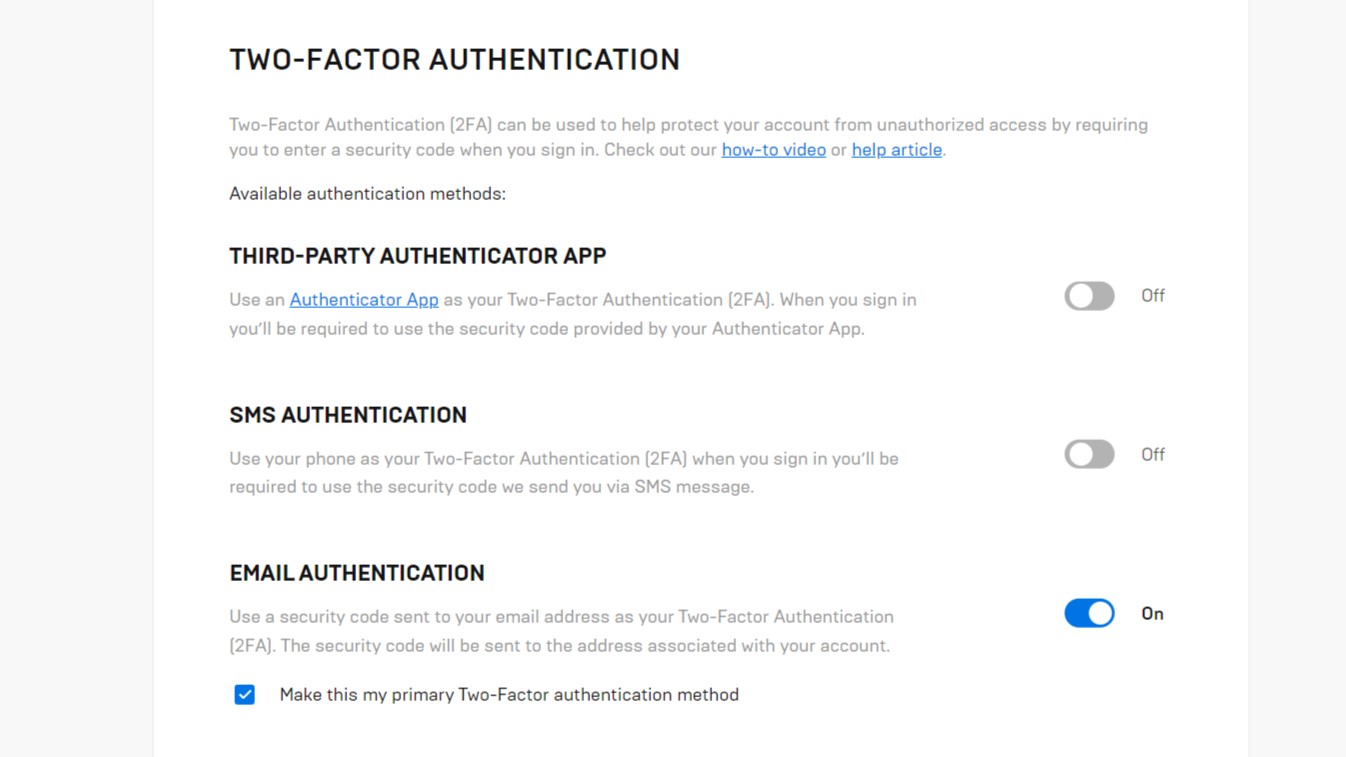
Step 3: Configure Your 2FA Settings
Once you've set up your 2FA account, you'll need to configure your account settings to use your 2FA method. This typically involves:
- Enabling 2FA on your account settings
- Entering your 2FA codes or biometric authentication
- Configuring your 2FA schedule and expiration settings
Tips and Tricks for Enabling 2FA
Here are some additional tips and tricks to help you enable 2FA and stay secure online:
- Use a secure password manager to generate and store your 2FA passwords.
- Regularly update your 2FA apps and software to ensure you have the latest security patches.
- Be cautious when clicking on links or downloading attachments from unknown sources.
- Use a reputable antivirus software to protect your device from malware and other threats.
Common 2FA Exceptions
While 2FA is an essential security feature, there are some exceptions and limitations to consider:
- Some legacy systems or accounts may not support 2FA.
- Some applications or services may require additional authentication steps beyond 2FA.
- Some devices or platforms may not support 2FA or may have limited 2FA capabilities.
Conclusion
Enabling 2FA is a simple and effective way to secure your digital life and protect your online identity. By following the steps outlined in this article, you can enjoy a higher level of security and confidence in your online activities. Remember to stay vigilant and up-to-date with the latest security best practices to stay ahead of potential cyber threats.
Recent Post
Unlocking The Secrets Of Menopause: Expert Insights On Navigating Life After 40 With Paolo Tantoco
Tensions Rise As Trump Officials Defend Tariffs Amid Market Volatility And Warnings For Savers And Retirees
Rosie O'Donnell Teases Trump Move, Posts Disruptive Selfie From Abroad
Wings For The Win: Capitals Edge Ducks 7-4 In Thrilling Matchup
Ducks Fall Short: Key Takeaways From Thrilling 7-4 Loss To Capitals
Article Recommendations
- Norissa Valdez: From Anonymous YouTuber To Viral Sensation
- Kim Kardashian Drops Bombshell Pregnancy Announcement: Expecting Baby Number 4 With Kanye West!
- Unveiling The Hidden Truths Behind Rose Madden: A Journey Into History And Scandal